
Play Car Stunt Race 2022 Walkthrough
Car Stunt Race 2022
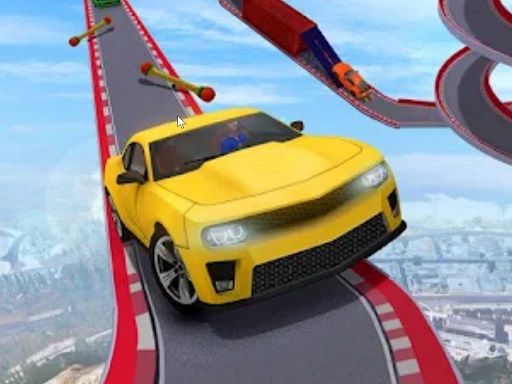
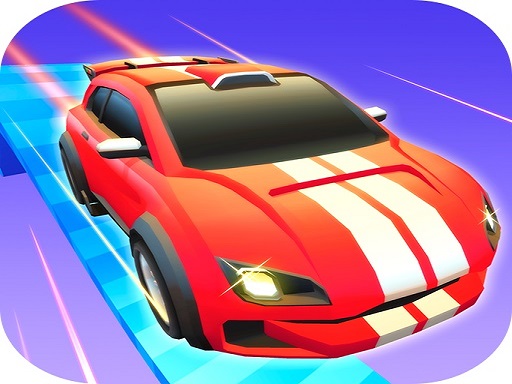
The fastest stunt runs aren’t wild. They’re smooth. In Car Stunt Race 2022, your best time comes from calm throttle and straight landings. What you do in the game Car Stunt Race 2022 is a stunt racing game on sky tracks, canyon loops, and ramps. You pick a car and a course, then try to reach checkpoints and finish cleanly. The game rewards drivers who control speed and landings, not drivers who constantly yank the steering. Core loop: Choose a car and track. Drive through checkpoints. Manage ramps and jumps. Finish with the best time (or the cleanest run). Real player moment: you nail a huge jump… then immediately spin out on the landing and lose all the speed. Landing discipline matters more than jump height. Controls Desktop Most versions use: W/Up Arrow: accelerate S/Down Arrow: brake/reverse A/D or Left/Right: steer Extra buttons for camera/reset (if shown) Mobile On-screen steering (buttons or tilt, depending on version) Accelerate and Brake buttons Camera/reset icons How you win / progress You win by completing the course. Many versions focus on: time improvement checkpoint consistency cleaner runs (fewer crashes) Some versions also include ghost runs or replays. The three stunt rules that make you faster Lift before the ramp if the landing is tight. Level the car midair with tiny throttle control (not hard steering). Land with wheels straight so grip returns instantly. Tips to drive better (12 tips) Feather the gas on ramps. Full throttle can make the car fly too far. Brake before the jump, not after. Braking midair doesn’t fix a bad launch. Land straight. If you land while steering, the car often snaps sideways. Don’t jump into a hairpin. Lift early so you land sooner and can brake safely. Use boost pads in the center. Edge hits can wobble the car. If the car fishtails, ease off throttle. More gas usually makes it worse. Take wide entries, tight exits. It keeps the car stable on narrow tracks. Choose camera view for the job: chase view for learning jumps, hood view for apex reading. Mark a braking point. Use a sign, banner, or track seam as your “brake now” cue. Practice one section at a time. Restart at checkpoints to drill landings. Lower steering sensitivity if you keep over-correcting. Coach voice: Smooth in. Smooth out. Tiny helpful line: If you keep overshooting a landing, lift one car-length before the ramp. That tiny change often fixes the whole jump. Levels / modes / upgrades Tracks get harder by adding: narrower platforms faster sections into ramps chained boost pads tighter checkpoint lines If assists exist, use them while learning, then reduce them gradually. Common problems & quick fixes controls :stop after an ad: click/tap inside the game window. Lag on big tracks: close extra tabs and lower effects if settings exist. Touch steering feels too sensitive: reduce sensitivity or switch control style (if available). Fullscreen issues: reset zoom to 100% and retry. parent note: Good for learning patience and control—not just speed. Suggest breaks between tracks, especially if frustration builds. 5) Quick Info: Platform: Browser (HTML5) Genre: Stunt racing / driving Age fit: 8–13 Session length: 10–20 minutes Controls: Drive + brake + steer (keys or on-screen) 6) FAQ Q1: Why do I spin out after jumps? You’re landing while steering. Land straight, then turn. Q2: Should I use full throttle on ramps? Not always. Feather gas to control distance. Q3: How do I get faster times? Choose stable lines and keep momentum by landing cleanly. Q4: What camera is best? Chase view for jumps, hood view for corners—switch based on the challenge. Q5: My car feels too twitchy—help! Lower steering sensitivity and make smaller corrections. Q6: My controls :stopped working. Click/tap inside the game area to refocus.
Similar Games
-
Baby Taylor Cooking Camp
-
Car Parking Pro - Park
-
Ball Blaster Canon
-
PokeWorld Bounce
-
Rabbit Dress Up
-
Fill the Gap
-
Mermaid Style Dress Up
-
Extreme Pixel Gun Combat 3
-
Among Us Gun War Multiplayer
-
Gear Car 3D
-
The Last Defense Z
-
Iron Snout - Fighting Game
-
Color Spin
-
Fairy Princess Dressup
-
Derby Arena Demolition 2022