


Play ZombieCraft Walkthrough
ZombieCraft
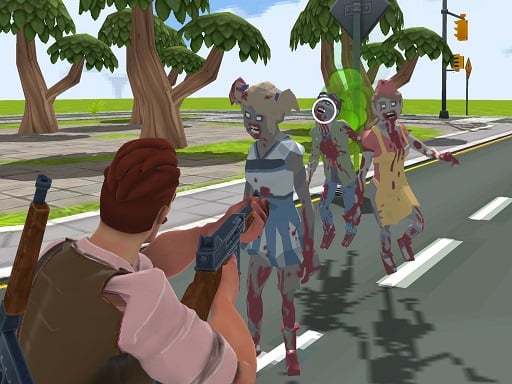
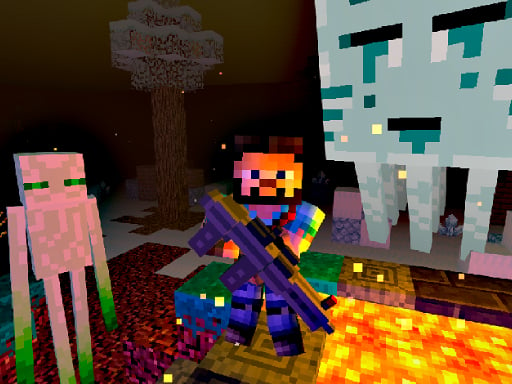
Always keep a “get home” kit ready: 3 fences, 1 lantern, 1 snack. Dusk sneaks up fast in ZombieCraft. What you do in the game ZombieCraft is block-style survival with a friendly, non-graphic zombie vibe. Days are for gathering and building. Nights are for defending your camp with fences, lights, and simple traps. Your loop: Day: collect wood/stone, craft tools, explore for food and materials. Late day: return early, reinforce your base. Night: stay near light, repair weak points, reset traps. Repeat and grow your camp. It’s not about being fearless. It’s about being prepared. Controls Desktop WASD/Arrow keys to move (typical) Mouse to look/aim blocks and place items Click to mine/collect/place Inventory hotbar to switch tools Mobile On-screen joystick to move Tap buttons to mine/place Hotbar icons to switch tools/items (Your version may show the exact controls :on-screen.) How you progress You progress by building a safer, smarter camp: better lighting stronger fences and paths more reliable food and storage safer routes to resources Tools, building, and gentle threats ZombieCraft rewards layered safety: A single tall wall can fail fast. Two low fences with space between can slow enemies longer. Light matters because it helps you see danger early. You’ll often craft: basic tools (wood/stone) lanterns/torches fences simple traps (snares, sticky tiles, pits—whatever your version includes) Tips to survive longer (12 tips) Build your first camp near water so you don’t waste time searching. Place your main lantern at the gate. That’s where problems start. Use two-layer fencing (two lines, one block apart) for better slowdown. Make zigzag entrances. Straight paths let enemies rush the door. Store backup tools by the exit, not deep inside. Emergencies happen outside. Create one safe “resource loop.” Example: trees → stone patch → water → home. Return earlier than you think. If you’re still far away at dusk, it’s stress time. Use paths to move faster if your version supports it (stone paths help travel). Repair before you upgrade. A broken fence beats any new decoration. Plant food in neat lanes so you can harvest quickly without wandering. After rain, check traps and lights. Weather can mess with visibility. Coach voice: Safe base first. Adventure second. Tiny helpful line: If nights keep breaking one corner, stop patching randomly. Move a lantern there and build a second fence line behind it. Seeing the problem early is half the win. Difficulty, pacing, and family-friendly settings If you can adjust settings: Longer days help new players learn crafting. Softer nights help kids practice base layout without frustration. Common problems & quick fixes Can’t place blocks or mine: click/tap on the play area once so the game regains focus. Lag at night: close other tabs and lower draw/effects if settings exist. Touch buttons feel cramped: fullscreen + zoom 100% helps. Progress not saving: allow local storage/cookies if the game saves to your browser. parent note: ZombieCraft teaches planning and responsibility (prepare, return, repair). Great place for break reminders: stop after a full day-night cycle. 5) Quick Info: Platform: Browser (HTML5) Genre: Survival / crafting / base defense Age fit: 9–13 Session length: 15–40 minutes Controls: Move + mine/place blocks + inventory hotbar 6) FAQ: Q1: What should I build first? Light at the gate, a small fence box, and a chest for backup tools. Q2: Why do zombies get in so easily? Your entrance is too straight. Use zigzags and layered fences. Q3: When should I go exploring? Morning to mid-day. Turn back early so dusk doesn’t catch you far away. Q4: What’s a “get home” kit? A small set of items you always keep ready for emergencies (fences + light + snack). Q5: Is it scary? It’s cartoon-style and non-graphic, more about planning than fear. Q6: My game isn’t saving progress. Check if browser storage/cookies are allowed for the site.
Similar Games
-
Chocolate Cookie Maker
-
Daily Puzzle
-
Blocky Friends adventure
-
Ball Blaster Canon
-
Dual Balls
-
PAPER FOLD ORIGAMI ONLINE
-
Fill the Gap
-
Minicraft Duello
-
Mermaid Style Dress Up
-
Extreme Pixel Gun Combat 3
-
The Last Defense Z
-
Chibi Sup Color Game
-
Color Spin
-
Stumble Guys Puzzles
-
Fairy Princess Dressup
-
Puzzle Draw
-
House Robber - Robbery Bob
-
Deliver It Master