





Play Gear Car 3D Walkthrough
Gear Car 3D
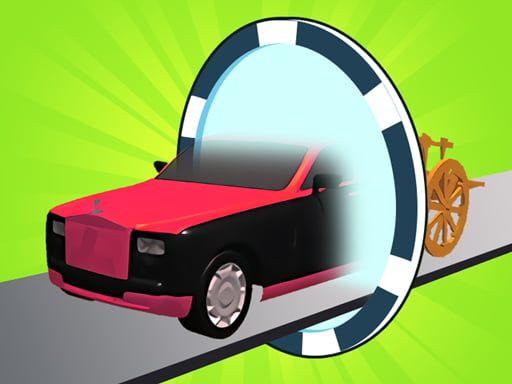
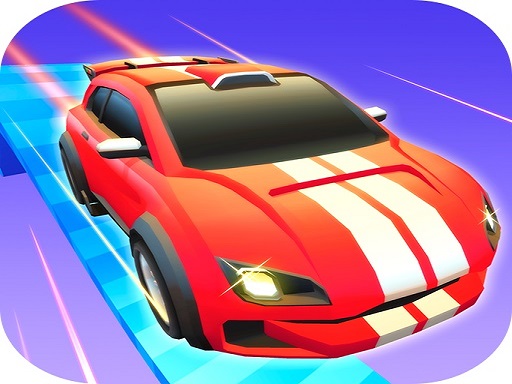
Hype line In Gear Car 3D, the track is a puzzle. You don’t just drive—you transform at the perfect moment so every obstacle becomes a smooth “click” instead of a crash. What you do in the game Gear Car 3D is a transformation runner. Your car changes form to match the obstacle: extend to climb steps, shrink to slide under beams, grip rails when glowing tracks appear. The core loop: Hold to move (in many versions). Watch the next obstacle’s silhouette/sign. Tap the switch at the right moment. Chain correct forms to stay fast and unlock rewards. Real player moment: you see a low tunnel and switch too late—your car bumps the bar even though you “knew” what to do. This game is all about switching early, not late. Controls Desktop Often hold mouse / key to move, release to slow (varies) Switch button/key to transform On-screen pause/retry Mobile Hold to move, release to slow/stop (common) Tap transform/switch button Pause/retry icons How you win / progress You win stages by reaching the end without failing obstacle checks. Progress comes from: finishing tougher tracks with faster switch chains collecting items to unlock cosmetic changes (paint, trails, wheels) Tips to play better (12 tips) Look three obstacles ahead. Don’t stare at your bumper. Switch on the sign, not the impact. Switch as soon as you recognize the silhouette. Use a spoken rhythm: “tall, low, rail, tall.” It prevents panic taps. Retract at the last safe moment before a low tunnel—not midair off a ramp. Engage rail grip before the incline. Early grip keeps momentum. Don’t over-switch. Tap–pause–tap beats rapid double-taps. For two quick changes, slow slightly first. Control beats speed in switch clusters. Secret routes often sit high. Extend early to catch high ramps. Memorize landmarks (striped pillar, banner) that cue your switch sequence. Keep one finger stable. Moving your thumb causes late taps. Use high-contrast skins on busy maps so obstacles read clearly. Coach voice: See it early. Switch once. Commit. Tiny helpful line: If you keep failing rail sections, you’re switching when you touch the rail. Try switching one beat earlier—right when the rail glow appears. Levels / modes / progression Later tracks add: rotating drums seesaw bridges magnetic strips that demand quick back-to-back swaps These are fair when you read signs early. Common problems & quick fixes Switch button doesn’t work: tap/click inside the game area to refocus. Lag makes timing feel off: close tabs, lower effects, avoid heavy background apps. Double-taps happen: slow your taps and check if your device has touch delay settings. Fullscreen issues: reset zoom to 100% and retry. parent note: This game trains pattern reading and timing. It’s quick and catchy, so set a break rule like “3 runs, then rest hands.” 5) Quick Info: Platform: Browser (HTML5) Genre: Runner / transformation timing Age fit: 7–13 Session length: 5–12 minutes Controls: Hold to move + tap to transform 6) FAQ Q1: What’s the main skill in Gear Car 3D? Switching forms early based on obstacle signs. Q2: Why do I fail even when I tap the right form? You tapped too late. Switch when you see the cue. Q3: How do I find shortcuts? Watch for higher ramps and rail paths that require perfect form chains. Q4: Should I always go fast? Not in switch clusters. Slow slightly to hit the correct sequence. Q5: My buttons stopped responding—help! Tap/click inside the game window to refocus. Q6: Do skins change gameplay? Usually no—skins are cosmetic.
Similar Games
-
Baby Taylor Cooking Camp
-
Commando Adventure
-
Zombie Horde
-
Protect My Dog
-
Blocky Friends adventure
-
Bottle Flip Era: Jeu 3D
-
Rabbit Dress Up
-
Girl Squad
-
PAPER FOLD ORIGAMI ONLINE
-
Fill the Gap
-
Green-Island-Land-Of-Fire-Game
-
Minicraft Duello
-
Motor Rush
-
Stumble Guys Puzzles
-
Funny Animal Faces
-
Touba 2
-
Fairy Princess Dressup