






Play Car Simulator McL Walkthrough
Car Simulator McL
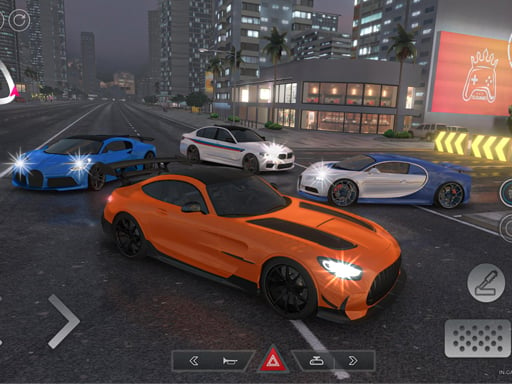
Driver, your ride is fast, loud, and a little bit slippery. Your job is simple: keep control, explore, and learn how to handle speed like a pro. Take a breath, then go. What you do in the game In Car Simulator McL, you drive a supercar-style vehicle around a big area and practice real driving skills like steering, braking, and drifting. The fun is in how smooth you can be, not just how fast you can go. Some roads feel easy at first… then you hit Boost and suddenly your car wants to slide sideways. Your core loop looks like this: Start driving. Build speed on straight roads. Slow down for turns. Try drifts (controlled slides). Switch camera angles to see better. Repeat and improve. Controls Desktop -->(Keyboard) WASD / Arrow keys: drive and steer F: Boost G: Slow Motion C: Change Camera Mobile This game is best on a keyboard. If you’re playing a Mobile -->version, look for on-screen steering and pedal buttons. How you “win” / progress This one is more like a sandbox driving playground. You set your own goals: Drive longer without crashing. Drift a corner without spinning out. Use Boost at the right time. Try different camera views for better control. If the version you’re playing has a “race” or “challenge” button, that’s a bonus mode. If not, no worries — free driving is the main point. Power-ups / items / vehicles Boost gives a burst of speed. Slow Motion helps you control tricky moments. Camera switch helps you see turns, traffic, and tight spots. Tips to play better (coach voice included) Use Boost on straight roads, not right before a sharp turn. Tap the brakes early before turning. Late braking = big spins. If you keep sliding out, turn less than you think. Small steering wins. Slow Motion is your “save button.” Use it when you’re about to hit something. Change the camera when you can’t judge distance (parking, tight turns). Practice a drift by doing: speed up → tiny brake → gentle turn. Don’t hold Boost forever. Short bursts are easier to control. If your car starts fishtailing, let off the gas for one second. Look ahead, not at the front bumper. Your eyes steer the car. Want smoother turns? Enter wide, exit tight (like drawing a curve). If you keep crashing in the same corner, slow down earlier than you think. Take a breath. Then drive one clean lap around the same block. Levels / modes / upgrades Most versions focus on free driving and practice. If you see extra modes (like races), treat them as optional challenges. Common problems & quick fixes Game won’t load: refresh the page; try another browser tab. Lag: close other tabs, lower device load, and avoid full-screen on weak devices. No sound: check the game’s mute button and your device volume. Keyboard not working: click inside the game window once, then try again. parent note: This game helps kids practice focus, timing, and gentle control (not just button-mashing). Remind players to take a quick stretch break every 10–15 minutes. Quick Info: Platform: Browser (HTML5), keyboard recommended Genre: Driving / Car simulator Age fit: 8–13 (younger can play with help) Session length: 5–20 minutes Controls: WASD/Arrows + F (Boost), G (Slow Motion), C (Camera) FAQs Q1: How do I stop spinning out? Brake earlier, steer less, and don’t Boost into turns. Q2: What does Slow Motion do? It gives you extra time to steer and avoid crashes. Q3: Should I use Boost all the time? No. Use it in short bursts on straight roads. Q4: Why aren’t my keys working? Click inside the game screen first, then press keys again. Q5: Is there a finish line? Usually it’s a free-driving simulator where you set your own goals. Q6: Which camera is best? Try each one. Close camera helps drifting; far camera helps tight driving.
Similar Games
-
Baby Taylor Cooking Camp
-
Spooky Tripeaks
-
Protect My Dog
-
Car Simulator McL
-
Dual Balls
-
Bubble Shooter Pet Match 3
-
Funny Cotton Candy Shop
-
Traffic Run!: Driving Game
-
Hunter Assassin 2
-
Water the Seed
-
Gear Car 3D
-
Motor Rush
-
Stumble Guys Puzzles
-
Dress Up Games 1
-
Numeric Cannon
-
Puzzle Draw
-
Deliver It Master