
Play Rabbit Dress Up Walkthrough
Rabbit Dress Up
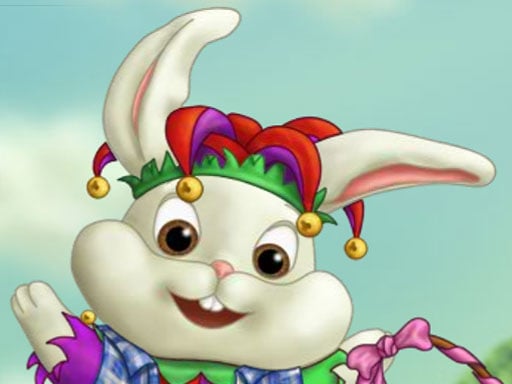
Playful comparison Dressing this bunny is like building a cupcake: one main flavor, a few toppings, and stop before it gets messy. Rabbit Dress Up rewards simple, cute choices. What you do in the game Rabbit Dress Up is a gentle styling game. You pick clothes, hats, and accessories for a cartoon bunny. Some versions also let you change the background and save a picture of your final look. Core loop: Choose a clothing category (tops, dresses, costumes, shoes, headwear). Try on items until the outfit fits a theme. Add a small number of accessories (glasses, bag, carrot prop). Change the background if you want. Reset or save when you’re happy. Real player moment: you add too many items and the bunny looks “busy.” Then you remove one accessory and suddenly it looks perfect. Controls Desktop Click category icons Use arrows to scroll the wardrobe Click an item to equip/swap it Buttons for background, reset, and save (if available) Mobile Tap big category buttons Swipe through item carousels Tap to dress/undress each layer Tap icons for props and background How you “win” and how progress works There’s no score battle. You “win” by making outfits you like. Some versions may: unlock sets, remember favorites, or save screenshots. If saved looks disappear later, it’s usually because storage is blocked (see fixes). Outfit themes that work well If you want your outfits to look more “planned,” choose a theme: Cozy winter bunny Sporty bunny Bedtime bunny Party bunny Then pick pieces that match the theme’s mood. Tips to style better (10 tips) Pick one main color (pink, blue, green, brown) and repeat it in at least two pieces. Outfit first, then shoes. Shoes are easier when the main outfit is chosen. Match shoes to the hat or dress for a quick “finished” look. Use one star accessory. Big bow OR glasses OR bag—one is usually enough. Leave 1–2 slots empty. Empty space makes the bunny look cleaner. If the outfit feels loud, choose simpler hair/hat. If the outfit feels plain, add one bright item (like a scarf or cute prop). Try backgrounds last. A background can change how colors look. If you can’t decide, make a 3-outfit challenge: cozy, sporty, party. Coach voice: Simple first. Fancy second. Tiny natural tip: If your bunny looks cluttered, remove the last thing you added. That’s usually the “too much” item. Levels / modes / progression Most dress-up games are free play. Progress is your creativity: more outfit combos, better color matching, and cleaner themed looks. Common problems & quick fixes Items won’t equip after an advert/tab change: tap/click inside the game area to refocus. Scrolling lag: lower graphics if possible, disable animated backgrounds, close extra tabs. Icons too small for kids: set zoom to 100%, go fullscreen, and look for “big buttons” mode if your version has it. Saved outfits disappear: enable cookies/local storage so the game can remember favorites. parent note: This game supports creativity and choice-making. Good break idea: make 3 outfits, then do a quick stretch. 5) Quick Info: Platform: Browser (HTML5), Desktop -->+ Mobile -->versions Genre: Dress up / fashion Age fit: 5–12 Session length: 5–20 minutes Controls: Click/tap to equip items; swipe/scroll menus 6) FAQ (5–7) Q1: Is there a “right” outfit? No. But matching colors makes outfits look cleaner. Q2: How do I make it look less messy? Use fewer accessories and stick to one theme. Q3: What should I choose first? Pick the main outfit first, then shoes, then hat/accessories. Q4: Why won’t items apply sometimes? The game may have lost focus after an ad. Tap/click inside the game screen. Q5: Can I save my bunny? Some versions let you save a picture. If it doesn’t keep saves, storage may be blocked. Q6: Why did my saved looks disappear? Turn on cookies/local storage so the game can remember them.
Similar Games
-
Good Guys vs Bad Guys 2022
-
Advanced pixel apocalypse 3 2022
-
Zombie Horde
-
Car Simulator McL
-
Blocky Friends adventure
-
PokeWorld Bounce
-
Funny Cotton Candy Shop
-
Bottle Flip Era: Jeu 3D
-
Hunter Assassin 2
-
Apple Worm
-
Girl Squad
-
Green-Island-Land-Of-Fire-Game
-
Water the Seed
-
Mermaid Style Dress Up
-
Among Us Gun War Multiplayer
-
Gear Car 3D
-
Motor Rush
-
Belt And Go
-
Touba 2
-
House Robber - Robbery Bob