




Play Funny Dentist Walkthrough
Funny Dentist
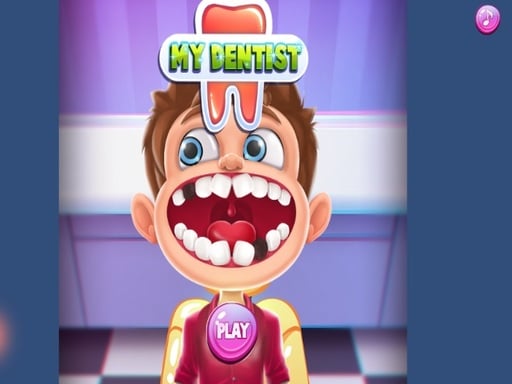
Today you’ll learn the #1 dentist game trick: don’t switch tools early. In Funny Dentist, every step works best when you finish the progress bar first. What you do in the game Funny Dentist is a lighthearted clinic game with cartoon patients. Teeth problems are silly and exaggerated (not scary). You pick tools like brushes, rinse sprayers, polishers, and gentle “fix” tools, then drag over highlighted spots until each tooth looks clean. Core loop: A patient arrives with a messy mouth. The game highlights a problem area (plaque, candy bits, stains). You choose the correct tool from the tray. Drag on the highlighted area until the bar fills. Move to the next tooth or the next patient. Optional: add fun extras like sparkles or stickers. Real player moment: you’re brushing and think you’re done… but one tiny corner is still marked. That last dot is always hiding near the gum line. Controls Desktop Click a tool in the tray Drag the cursor along highlighted areas Click rinse/next buttons when they appear Big buttons to switch patients, reset, or decorate Mobile Tap a tool to select it Drag your finger across highlighted spots Tap rinse/next icons to continue How you win and how progress works You “win” by completing all marked tooth problems for a patient. Progress happens as you: finish more patients, unlock more tools or clinic themes (in some versions), and get faster at choosing the correct tool. Tool order and why it matters Most dentist games follow a pattern: Clean first (remove dirt/candy bits) Rinse Fix (fill or patch) Polish Decorate (optional) If you try to polish before cleaning, the game usually won’t count it. Tips to play better (11 tips) Follow the highlights. The game shows you where to work—stay on that area. Slow strokes beat fast scribbles. Fast moves can skip spots and the bar won’t fill. Finish the bar before switching tools. Half-done steps cause “stuck” feelings. Use small circles on stains. Circles cover corners better than straight lines. Check the edges of teeth. The last dirty spot is often on the side. Rinse when prompted. Some steps don’t complete until you rinse. If a tool “does nothing,” it’s the wrong step. Go back to the highlighted tool. Don’t press too hard on mobile. Gentle drags track better than heavy swipes. If kids struggle, replay one patient to practice the tool order. Decorations are optional. Don’t get stuck making it perfect—finish the dental steps first. Coach voice: Clean. Rinse. Fix. Polish. Done. Tiny natural tip: If you keep missing spots on molars, zoom your attention to one tooth at a time and drag slower than you think for two seconds. Levels / modes / progression Most versions are patient-by-patient. Some add: new patients with different tooth problems, more tools, optional sticker or sparkle modes. Common problems & quick fixes Tools stop responding after an advert/app switch: tap/click inside the game area to refocus. Lag from animations/sparkles: lower graphics if possible, turn off extra particles, close spare tabs/apps. Small teeth are hard to tap: zoom to 100%, go fullscreen, and use any kid-friendly “big UI” mode if available. Unlocked tools/patients reset: enable cookies/local storage so the game can save progress. parent note: This is a gentle, cartoon clinic game that supports following directions and fine motor control. Great for short play. Try “one patient, then a break.” 5) Quick Info: Platform: Browser (HTML5), Desktop -->+ Mobile -->versions Genre: Kids clinic / dentist simulator Age fit: 5–12 Session length: 8–20 minutes Controls: Click/tap tools + drag on highlighted areas 6) FAQ (5–7) Q1: Why won’t the step finish? You likely missed a tiny highlighted spot. Check tooth edges and corners. Q2: What’s the best way to brush? Slow circles and steady drags until the bar fills. Q3: Why does a tool do nothing? You’re on the wrong step. Switch to the tool the game highlights. Q4: Is Funny Dentist scary? No. It’s cartoonish and silly, not realistic. Q5: My tools stopped working—what happened? The game lost focus after an ad. Tap/click inside the game screen. Q6: Why did my unlocked items disappear? Storage may be blocked. Enable cookies/local storage.
Similar Games
-
Spooky Tripeaks
-
Good Guys vs Bad Guys 2022
-
Blocky Friends adventure
-
Bubble Shooter Pet Match 3
-
Traffic Run!: Driving Game
-
Girl Squad
-
Fill the Gap
-
Minicraft Duello
-
The Last Defense Z
-
Skate Race
-
Best Battle Cover Royale 2022
-
Motor Rush
-
Color Spin
-
Belt And Go
-
Stumble Guys Puzzles
-
Numeric Cannon
-
ZombieCraft