





Play Puzzle Draw Walkthrough
Puzzle Draw
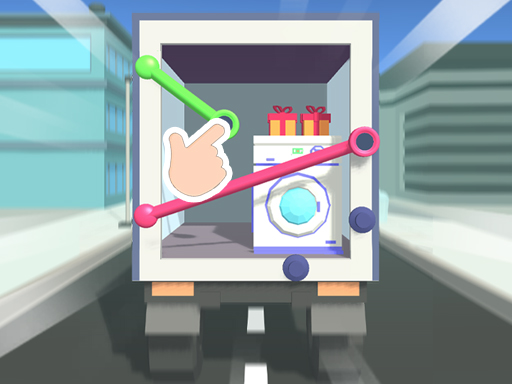
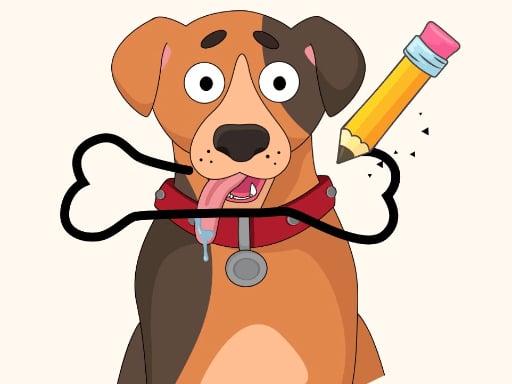
Your mission in Puzzle Draw is simple to say and tricky to do: draw the whole shape in one go. One line. No messy scribbles. No going back over the same path. The first few puzzles feel easy—then the shapes start making sneaky little “trap corners” that steal your last move. What you do in the game Puzzle Draw is a one-stroke drawing puzzle. Each level shows a shape made of connected lines. You must trace every line segment to finish the picture. The core loop looks like this: Study the shape for a moment. Pick a starting point. Draw a single continuous line to cover the whole shape. Finish the shape without lifting your finger (or mouse) and without getting stuck. It’s like solving a maze you draw yourself—except the “walls” are the lines you must use. Controls Desktop Click and hold to start drawing. Drag along the lines to trace the shape. Release to stop (or finish, depending on the version). Many versions also have Restart (and sometimes Undo) buttons on-screen. Mobile Touch and drag to draw along the lines. Lift your finger to stop or finish. Look for on-screen Restart/Undo icons if you need a redo. How you win (and how scoring works) You win a level when you: trace all the lines of the shape, in one continuous stroke, without repeating a line segment. Some versions score you by how cleanly you finish (like fewer restarts). Others are just about clearing levels. Either way, the real “score” is learning the pattern and beating the tricky shapes. Power-ups / items / characters Puzzle Draw is usually all about your brain and your finger. Most levels don’t need extra items—just smart starts and smart turns. Tips to play better (12 specific tips) Don’t start moving right away. Spend 3 seconds looking. That saves 30 seconds of restarting. Start at an “end.” If you see a point with only one path coming out, that’s often a great start (or a great finish). Save the busiest intersection for the middle. If a spot has lots of paths, going there too early can trap you. Clear dead ends first—on purpose. If you enter a dead end, you must leave the same way… so do it when it won’t block the rest. Try to “leave yourself an exit.” After each corner, ask: “Can I still reach the rest?” Use the outside edges like a belt. Tracing the outer border early can help you see what’s left inside. If a corner keeps trapping you, reverse the plan. Start at the opposite side and see if it flows better. Treat the last two lines like treasure. If finishing feels impossible, you probably used a “bridge” line too soon. When you reach a split (a Y shape), don’t guess. Pause and trace both options with your eyes first. Small turns are safer than big swings. Stay calm and follow the line cleanly—rushing causes mistakes. Missing the correct start? Look for the spot that would be hardest to return to later. Start there. Coach voice: Take a breath, then draw. One smooth run beats five fast panics. Tiny real-moment helper: If you keep failing at the very end, it usually means you left two separate areas unconnected. Restart and aim to “connect areas” sooner, so you’re not stuck with islands. Levels / progression Levels usually ramp up like this: simple shapes (squares, loops, easy paths), then more corners and intersections, then shapes that look symmetrical but hide one awkward turn. A good habit is to replay a level once after you beat it—just to see if you can solve it with fewer pauses. Common problems & quick fixes Game won’t draw / input feels dead: click or tap once inside the game area so it “focuses” again. Lag or stutter: close extra tabs, turn off battery saver, and try fullscreen. Touch feels misaligned: set browser zoom to 100% and rotate back to your normal screen orientation. No sound: some browsers require one tap/click before audio starts; then check the in-game mute icon. Fullscreen issues: refresh the page, then enter fullscreen again from the game’s menu (if available). parent note: Puzzle Draw builds planning, patience, and problem-solving. Great for short play sessions. A good break rule: finish 3–5 levels, then rest your eyes and hands. 5) Quick Info: Platform: Browser (HTML5) Genre: One-line drawing puzzle / logic Age fit: 6–13 (parents can help younger kids pick start points) Session length: 5–20 minutes Controls: Click/drag (desktop) • Touch/drag (mobile) 6) FAQ: Q1: What’s the goal in Puzzle Draw? Draw the entire shape in one continuous line without repeating a line segment. Q2: Why do I keep getting stuck at the end? You likely “sealed off” a section too early. Try saving one connecting line for later. Q3: Is there always only one solution? Not always. Some shapes can be solved in more than one route. Q4: What’s the best starting point? Often a point with only one path (an “end”)—or the hardest corner to return to. Q5: My drawing won’t start. What do I do? Tap/click inside the game area once to refocus, then try drawing again. Q6: Is Puzzle Draw timed? Most versions let you think before you draw. Speed helps later, but planning helps more.
Similar Games
-
Chocolate Cookie Maker
-
Good Guys vs Bad Guys 2022
-
Advanced pixel apocalypse 3 2022
-
Commando Adventure
-
Zombie Horde
-
Lily Dress Up
-
Bottle Flip Era: Jeu 3D
-
Funny Dentist
-
Girl Squad
-
Flower Shop Girl Dress up
-
Mermaid Style Dress Up
-
Extreme Pixel Gun Combat 3
-
Skate Race
-
Best Battle Cover Royale 2022
-
Belt And Go
-
Deliver It Master
-
Drive To Evolve