









Play Commando Adventure Walkthrough
Commando Adventure
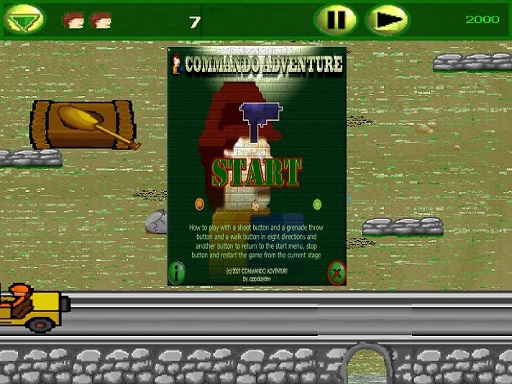
Soldier, you’re moving through a 2D danger zone. Enemies ahead. Tricky obstacles below. In Commando Adventure, you keep going forward by dodging hazards and firing at the right moment. What you do in the game Commando Adventure is an arcade-style 2D action platform adventure. You travel through sections filled with enemies and obstacles. It’s designed to be easy to pick up, but it gets much smoother when you learn how to move and shoot without rushing. Your main loop is simple: Move around the stage (left/right/up/down). Watch for enemies and hazards. Shoot when it’s safe. Keep going past obstacles to reach the next area. Real player moment: the first few screens feel simple… then you meet a spot where you must dodge and shoot at the same time. That’s where good timing matters. Controls Desktop Arrow keys (cursor keys): move in four directions One button to shoot (a single shoot key) Mobile This version is listed as not Mobile -->ready, so it’s best on a computer with a keyboard. How you win and how progress works Commando Adventure is about surviving each section and pushing forward through the map. You make progress by: Staying alive, Clearing threats in your path, Getting past obstacles without getting trapped. It’s an arcade game, so the “win” feeling comes from getting farther and cleaner each run—less panic, more control. Enemies and obstacles (what to watch for) The game is built around “danger + movement.” That usually means you’ll run into: Enemies placed where you least want to stop, Obstacles that force you to choose a safe route, Tight spots where you must move first, then shoot (or shoot first, then move). Even with simple controls, the tricky part is not getting stuck in a bad spot. Tips to play better (10 tips) Tap-move, don’t hold-move. Small steps help you line up safer shots. Shoot from safe ground. If an obstacle is coming, handle the jump/dodge first, then fire. Clear the closest threat first. Near enemies remove your escape space. Don’t chase every enemy. Sometimes the best move is slipping past. Use corners like shields. Step out, shoot, step back. Pause for half a second before a hazard. One calm look saves a lot of mistakes. If you keep getting hit right after landing, shoot earlier than you think. Many players fire too late. When you miss a shot, don’t spam. Reposition so your next shot is easy. If a section feels impossible, change your rhythm. Slow for two seconds, then move. Coach voice: Move smart. Shoot clean. Repeat. Tiny helpful line: If you keep bumping into obstacles, try moving in short “clicks” with the arrow keys instead of holding the key down. Levels / modes / replay value This version is described as a single-player arcade adventure with 2D platform action. Even when the game doesn’t shout “Level 1, Level 2,” it still plays like a set of small challenges in a row. Your replay goal is to: Reach farther, Take fewer hits, Get through tough sections without stopping. Common problems & quick fixes Keys don’t work: click once inside the game frame so your browser “focuses” the game. Lag or stutter: close extra tabs, then refresh the page. Sound missing: some sites only start sound after your first click—click the game once, then check volume. Fullscreen looks strange: exit fullscreen and set browser zoom back to 100%. Game feels too fast: don’t rush—use short moves and shoot only when lined up. parent note: This is a cartoon-style action game with simple controls. Kids practice timing and staying calm under pressure. A good break reminder is “one run, then rest your hands for a minute.” 5) Quick Info: Platform: Browser (HTML5) Genre: 2D action / arcade platform Age fit: 8–13 Session length: 5–12 minutes Controls: Arrow keys to move + one shoot button 6) FAQ (6 Q&As) Q1: What kind of game is Commando Adventure? It’s a 2D arcade action game where you move through enemies and obstacles using simple controls. Q2: What are the controls? You use the keyboard cursor (arrow) keys for four-direction movement and one button to shoot. Q3: Is Commando Adventure playable on mobile? This version is listed as not Mobile -->ready, so it’s best on desktop. Q4: I keep getting hit in the same spot—what should I do? Slow down for two seconds. Take smaller steps, then shoot from a safer place. Q5: Should I shoot everything I see? Not always. Sometimes slipping past is safer than stopping to fight. Q6: How do I improve fast? Replay the tough section and focus on one skill: safer movement first, then cleaner shooting.