
Play Gothic New Era Walkthrough
Gothic New Era
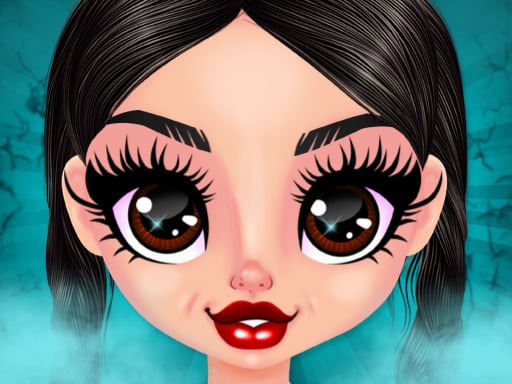
Your mission in Gothic New Era is to build a look that feels intentional: a strong silhouette, a tight color plan, and just enough detail to make the mood pop in the photo. What you do in the game Gothic New Era is a styling and photo game focused on gothic fashion. You pick a base model, then layer clothing pieces like tops, dresses, outerwear, hosiery, and boots. After that, you refine the vibe with accessories (chokers, gloves, belts, veils) and finish with makeup choices like smoky eyes, matte lips, and nail colors. Many versions also let you place your outfit into scenes—cathedral halls, misty gardens, or neon alleys—so the final shot looks like a poster. Core loop: Choose a base model + hair. Build clothing layers (main outfit → outerwear → shoes). Add accessories in a planned way. Pick makeup that matches the mood. Choose a scene + pose. Save the look and make another. Real player moment: you add five accessories and the outfit stops looking “gothic” and starts looking “crowded.” The fix is almost always removing one thing. Controls Desktop Click category icons (tops, dresses, coats, shoes, accessories, makeup) Click to equip items Use arrows/sliders to change colors (if available) Click scene/pose/photo buttons (if shown) Mobile Tap categories Swipe through items Tap to equip Tap scene/pose/photo icons How you “win” / progress There’s usually no score timer. Progress is creative: unlocking more items (if your version unlocks) saving a gallery of looks getting better at matching silhouette + mood + background Outfit building: what matters most A gothic outfit looks strongest when you control: Palette: 2 colors + a neutral Texture: mix matte and shine Proportion: long coat vs short jacket vs full skirt Motifs: repeat lightly (rose, cross, bat), not everywhere Tips to style better (12 tips) Start with a 2-color story + neutral. Example: black + wine, with gray hardware. Repeat an accent twice (hair ribbon + lace hem) so the palette feels “on purpose.” Balance shine and matte. Patent boots look best with velvet or wool, not all-gloss. Long coats love slim bottoms. Pair them with narrow skirts or fitted pants to avoid bulk. Cropped jackets love fuller skirts. It makes the silhouette clean and dramatic. Corset tip: layer a corset over a slightly puffy sleeve top for an elegant shape. High collar tip: choose hair that clears the neckline so the collar can be seen. Choose one hero accessory. Big veil OR parasol OR heavy belt—not all three. Match metal tones. If buckles are silver, keep rings and chains silver too. Use one bright “guide” detail (crimson petal, silver locket) to lead the eye. Check the outfit in two scenes. Some looks vanish in neon, others glow. Coach voice: Pick a mood. Commit to it. Tiny helpful line: If your outfit looks “too heavy,” lighten it with one sheer layer (sheer sleeves or a soft overskirt). It adds depth without clutter. Scenes, poses, and photos Place your model slightly off-center so the background mood shows. Use an upward camera angle in big halls to make coats and boots feel powerful. Preview 2–3 poses before saving: turned shoulders show corsets and lace seated poses show boots and layered skirts better Common problems & quick fixes Items won’t equip after an ad: click/tap inside the game window. Lag in big scenes: close extra tabs and lower effects if settings exist. Small icons hard to tap: set zoom to 100% and try fullscreen. Saved looks disappear: allow site storage/cookies if your site saves locally. parent note: This is a fashion creativity game (dark style, not scary). It helps kids practice planning and visual design. Break reminder: save one look, then rest eyes. 5) Quick Info: Platform: Browser (HTML5) Genre: Dress up / styling / photo Age fit: 9–13 Session length: 10–25 minutes Controls: Click/tap to select items; swipe/scroll menus 6) FAQ: Q1: How do I make outfits look less messy? Use 2 main colors, one neutral, and fewer accessories. Q2: What should I pick first? Choose the main outfit silhouette (dress vs top/bottom), then shoes, then coat. Q3: Why does my photo look “flat”? Add one contrast detail (a small bright accent) and try a new pose. Q4: Should I match every accessory motif? No. Echo a motif lightly; don’t repeat the same icon everywhere. Q5: My clicks stopped working—help! Tap/click inside the game area to refocus after ads. Q6: Can I save outfits? If your version has a photo/save button, yes—saving depends on the site/device.
Similar Games
-
Spooky Tripeaks
-
Car Simulator McL
-
Blocky Friends adventure
-
Ball Blaster Canon
-
PokeWorld Bounce
-
Bubble Shooter Pet Match 3
-
Lily Dress Up
-
Bottle Flip Era: Jeu 3D
-
Traffic Run!: Driving Game
-
Hunter Assassin 2
-
Rabbit Dress Up
-
Funny Dentist
-
Flower Shop Girl Dress up
-
The Last Defense Z
-
Chibi Sup Color Game
-
Stumble Guys Puzzles
-
Funny Animal Faces
-
Numeric Cannon
-
Drive To Evolve